The Three Types of Content Hubs
How they work, and when to use each one.
Descriptive Navigation Hubs
Descriptive navigation hubs provide the most ranking and UX oomph. To create one, you change the top level navigation on a site to match the target topic. Descriptive navigation hubs usually target the toughest concepts: A competitive product, a subject, an industry or something else.
Mini-Hubs
You create a mini-hub by linking a set of pages using a menu, but not by changing the navigation. Our site speed guide is sort of a mini-hub:
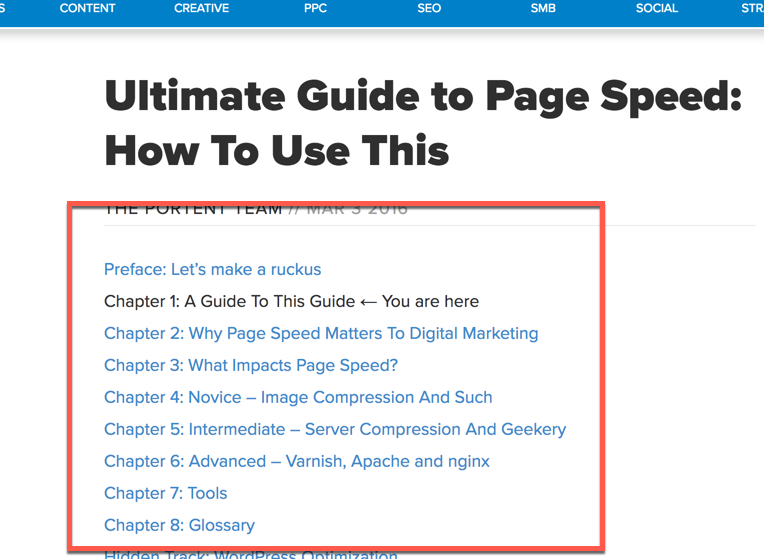
I say “sort of” because in this document, every page links to every other page. That means there’s no one hub page. Instead, every page is a hub page. Oy.
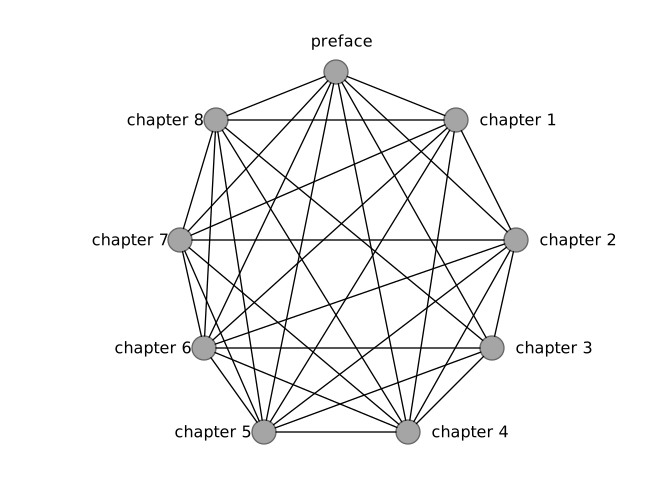
That’s OK. Not all hubs can be perfect. What we really did is create a ton of little hubs. If we’d built these pages all linking back to a single central Page Speed page, that would’ve created a true mini-hub.
Another note: Pillar pages are a type of mini hub, but not all mini hubs are pillar pages.
In-Context Hubs
You create an in-context hub by linking inline. This link is in-context, aka inline. These are super-simple. They’re also by far the simplest. Add a few links here and there and poof, you have an in-context hub.
Time for Examples
Moving along...
Copyright 2019, Portent. Steal this and we kick your ass.